
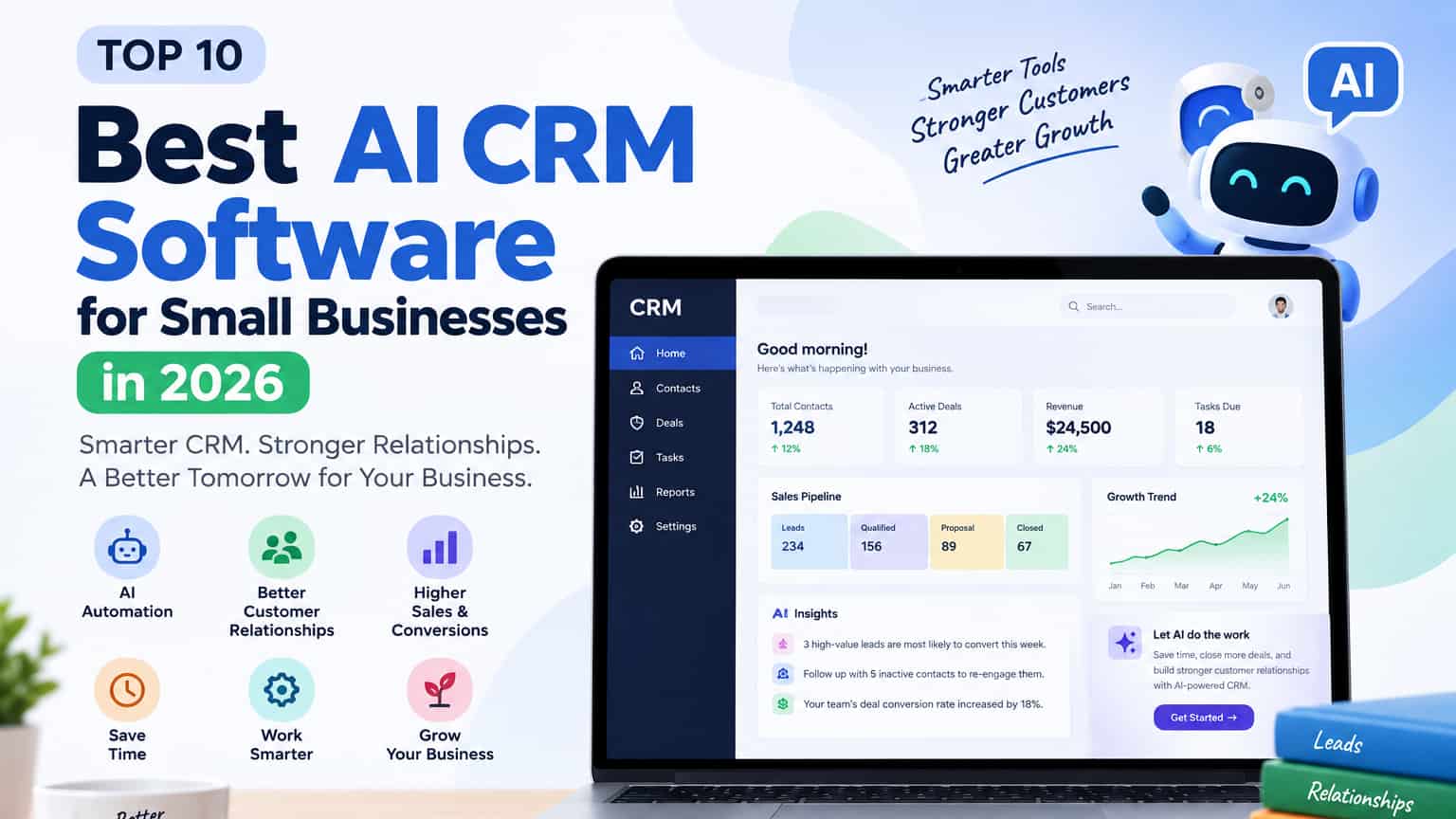
Managing customer relationships is one of the biggest challenges for a growing small business. Leads come from different channels, follow-ups get missed, important conversations are forgotten, and sales information becomes scattered.
This is where AI CRM software can make a real difference.
Modern AI-powered CRMs do more than store contact details. They can prioritize leads, summarize conversations, suggest next actions, draft follow-up emails, forecast sales, and automate repetitive tasks. The goal is not to replace your sales team — it is to remove busywork so your team can focus on closing deals and building relationships.
AI can also help businesses automate repetitive processes. Learn more about AI workflow automation for small businesses in our detailed guide.
However, not every CRM with AI features is a good choice for a small business. The right platform depends on your team size, sales process, budget, and the features you actually need.
In this guide, we have compared the 10 best AI CRM software for small businesses in 2026, focusing on useful AI features, ease of use, automation, pricing, scalability, and overall value.
Quick Recommendations (2026):
Best Overall: HubSpot CRM
Best Value: Zoho CRM
Best for Sales Pipelines: Pipedrive
Best for Small Sales Teams: Freshsales
Best for Growing Companies: Salesforce
Quick Comparison of the Best AI CRM Software
| AI CRM Software | Best For | AI Features | Free Option |
|---|---|---|---|
| HubSpot CRM | Overall small-business use | AI assistance, automation, insights | Yes |
| Zoho CRM | Value and flexibility | Zia AI, predictions, automation | Yes |
| Pipedrive | Sales teams | AI sales assistance | Trial |
| Freshsales | Small sales teams | Freddy AI | Yes / Trial |
| Salesforce | Growing businesses | Einstein AI | No |
| monday CRM | Flexible workflows | AI-assisted automation | Trial / Free options |
| Attio | Startups | AI-powered workflows | Yes |
| Close | Outbound sales | AI assistance and automation | Trial |
| Microsoft Dynamics 365 | Microsoft users | Copilot | Trial |
| Bitrix24 | All-in-one business management | AI and automation | Yes |
What Is AI CRM Software?
AI CRM software is customer relationship management software that uses artificial intelligence to help businesses manage their customers, leads, sales activities, and communication.
A normal CRM might show you that a prospect has opened three emails.
An AI-powered CRM may analyze that activity, help determine whether the prospect deserves attention, summarize previous conversations, or suggest a follow-up.
The exact capabilities vary from one platform to another. Some CRM systems focus mainly on sales, while others combine AI with marketing, customer service, analytics, and workflow automation.
That difference is very important when you compare AI CRM software for businesses.
Why Use AI CRM Software for Small Business?
Small businesses often have limited staff and less time for administrative work. A salesperson who spends hours updating CRM records or writing routine follow-up emails could use that time for customer conversations and revenue-generating activities.
AI CRM software can help small businesses automate tasks such as:
Lead qualification
Customer follow-ups
Email drafting
Meeting summaries
Sales forecasting
Contact organization
Data analysis
Workflow automation
The goal isn’t to replace your sales team. The goal is to remove repetitive work and help employees make better decisions.
1. HubSpot CRM
Best for: Overall small-business CRM
HubSpot is one of the strongest starting points for a small business because it combines CRM, sales, marketing, and customer service capabilities.
Its AI features can assist with content, customer information, sales activities, and other workflows.
The free CRM is another major advantage. A small business can begin without immediately paying for a full CRM subscription and upgrade when its requirements increase.
HubSpot should be near the top of the shortlist for small businesses looking for an easy-to-use CRM with room to grow.
Pros
Free CRM option
Easy to start
Broad business ecosystem
Sales and marketing integration
AI capabilities
Cons
Advanced features can become expensive
Larger ecosystem can feel overwhelming
Best choice for: Businesses wanting an all-round CRM with room to grow.
2. Zoho CRM
Best for: Value and customization
Zoho CRM is one of the strongest value options available. Its AI assistant (Zia) can predict deal closure, suggest the best time to contact leads, automate follow-ups, and provide insights from your data.
Because Zoho has a large ecosystem (email, campaigns, desk, books, etc.), it works particularly well if you already use or plan to use other Zoho products.
Another advantage is the wider Zoho ecosystem. Businesses using Zoho’s other products can connect their CRM with those applications.
Zoho is worth considering if flexibility and value are important.
Pros
AI assistant
Strong customization
Wide range of features
Free option
Large business ecosystem
Cons
Interface can take time to learn
Advanced features require higher plans
Best choice for: Small businesses that want flexibility.
3. Pipedrive
Best for: Sales pipeline management
Pipedrive is built specifically for sales teams. Its visual pipeline makes it very easy to see where every deal stands. The AI features help with activity suggestions, email assistance, and keeping the sales process moving.
Pipedrive is built around a simple idea: make sales pipelines easier to manage.
Pipedrive focuses primarily on sales pipelines, deals, leads, activities, and follow-ups.
Its AI capabilities add assistance to sales workflows and customer management.
For a business where sales are the main priority, Pipedrive can be more practical than an all-in-one CRM.
If your main goal is managing and closing deals (rather than running full marketing and service operations), Pipedrive is often more practical than larger all-in-one CRMs.
Pros
Simple pipeline
Sales-focused
Easy visual organization
Automation
AI sales assistance
Cons
Less broad than some competitors
Additional features increase costs
Best choice for: Sales-focused teams.
4. Freshsales
Best for: Small sales teams
Freshsales (by Freshworks) combines CRM with built-in communication tools and Freddy AI. It can help score leads, suggest next actions, and automate parts of the sales process.
It is a solid middle-ground option for small sales teams that want useful AI without the complexity of enterprise platforms.
Freshsales is Freshworks‘ CRM platform and includes AI capabilities through Freddy AI.
It combines customer management, communication, sales activities, and automation.
For smaller sales teams, Freshsales offers a useful balance between functionality and ease of use.
If you’re comparing AI CRM options for a small sales team, Freshsales is worth considering.
Pros
Freddy AI
Sales automation
Communication tools
Small-team friendly
Freshworks integrations
Cons
Advanced features may require paid plans
Some users may prefer a simpler interface
Best choice for: Small sales teams that want built-in AI assistance.
5. Salesforce
Best for: Growing businesses
Salesforce is one of the most powerful CRM platforms available.
Its Einstein AI capabilities can help with sales predictions, opportunity insights, forecasting, and other sales activities.
However, small businesses should think carefully before choosing Salesforce.
A company with a complex sales operation may benefit greatly from its flexibility. A very small team with basic CRM needs may find it unnecessarily complicated.
Pros
Powerful AI
Extensive customization
Huge integration ecosystem
Highly scalable
Cons
More difficult to configure
Can become expensive
May be excessive for very small businesses
Best choice for: Growing companies with complex CRM requirements.
6. monday CRM
Best for: Customizable workflows
monday CRM takes a visual approach to customer management.
Teams can customize boards and workflows around their own processes instead of following a rigid CRM structure.
Its automation and AI capabilities can help reduce repetitive activities.
It’s a particularly interesting option for teams that want CRM functionality alongside project management and collaboration.
Pros
Flexible workflows
Visual interface
Automation
AI capabilities
Cons
May require customization
Advanced features may require paid plans
Best choice for: Teams that need flexible workflows.
7. Attio
Best for: Startups and modern teams
Attio takes a modern approach to CRM and customer data.
Instead of forcing every business into the same structure, it gives teams flexibility in how they organize customer information.
That makes it particularly interesting as an AI CRM for startups, especially for technology-focused teams that want a more flexible experience.
Pros
Modern interface
Flexible customer data
Startup-friendly
AI-oriented features
Cons
Smaller ecosystem
May not suit companies wanting a traditional CRM
Best choice for: Startups and modern teams that want a flexible CRM and customer-data platform.
8. Close
Best for: Outbound and inside sales
Close focuses heavily on sales communication.
Calls, emails, leads, and sales activities can be managed from one environment.
For businesses that depend heavily on outbound sales, this approach can save time and keep communication organized.
Pros
Strong sales communication tools
Built for outbound sales
Calling and email features
Sales automation
Centralized customer communication
Cons
More focused on sales than broader business management
May not be ideal for businesses looking for a full marketing and service platform
Best choice for: Sales teams that spend much of their day contacting prospects.
9. Microsoft Dynamics 365
Best for: Businesses using Microsoft products
Microsoft Dynamics 365 becomes particularly attractive when a company already uses Microsoft 365 and other Microsoft business products.
Microsoft’s Copilot capabilities bring AI assistance into the Dynamics ecosystem.
The platform is powerful, but smaller companies should consider whether they actually need that level of functionality.
Pros
Powerful CRM capabilities
Microsoft Copilot AI features
Strong integration with Microsoft products
Highly customizable
Scales with growing businesses
Cons
Can be complex to configure
May require more training
Advanced functionality can be expensive
Best choice for: Businesses already invested in Microsoft.
10. Bitrix24
Best for: Businesses wanting an all-in-one platform
Bitrix24 combines CRM with communication, collaboration, project management, and other business tools.
For a small company trying to reduce the number of separate software subscriptions, this can be attractive.
The trade-off is that the platform has a lot of functionality, which can make the learning curve higher.
Pros
CRM and collaboration tools in one platform
Task and project management
Communication features
Automation capabilities
Free option available
Cons
Large number of features can feel overwhelming
Learning curve may be higher for new users
Some advanced features require paid plans
Best choice for: Small businesses that want CRM, collaboration, and business-management tools in one platform.
Best AI CRM software comparison for small businesses
Choosing between these platforms becomes easier when you focus on your actual needs.
HubSpot is a strong all-round choice.
Zoho CRM stands out for flexibility and value.
Pipedrive is better for businesses that mainly need sales pipeline management.
Freshsales is a good option for smaller sales teams.
Salesforce makes more sense when advanced customization and scalability are important.
monday CRM is useful for flexible workflows, while Attio is particularly interesting for startups.
This is why an AI CRM software comparison should consider more than the number of AI features advertised on each website.
Important AI CRM Features
AI Lead Scoring
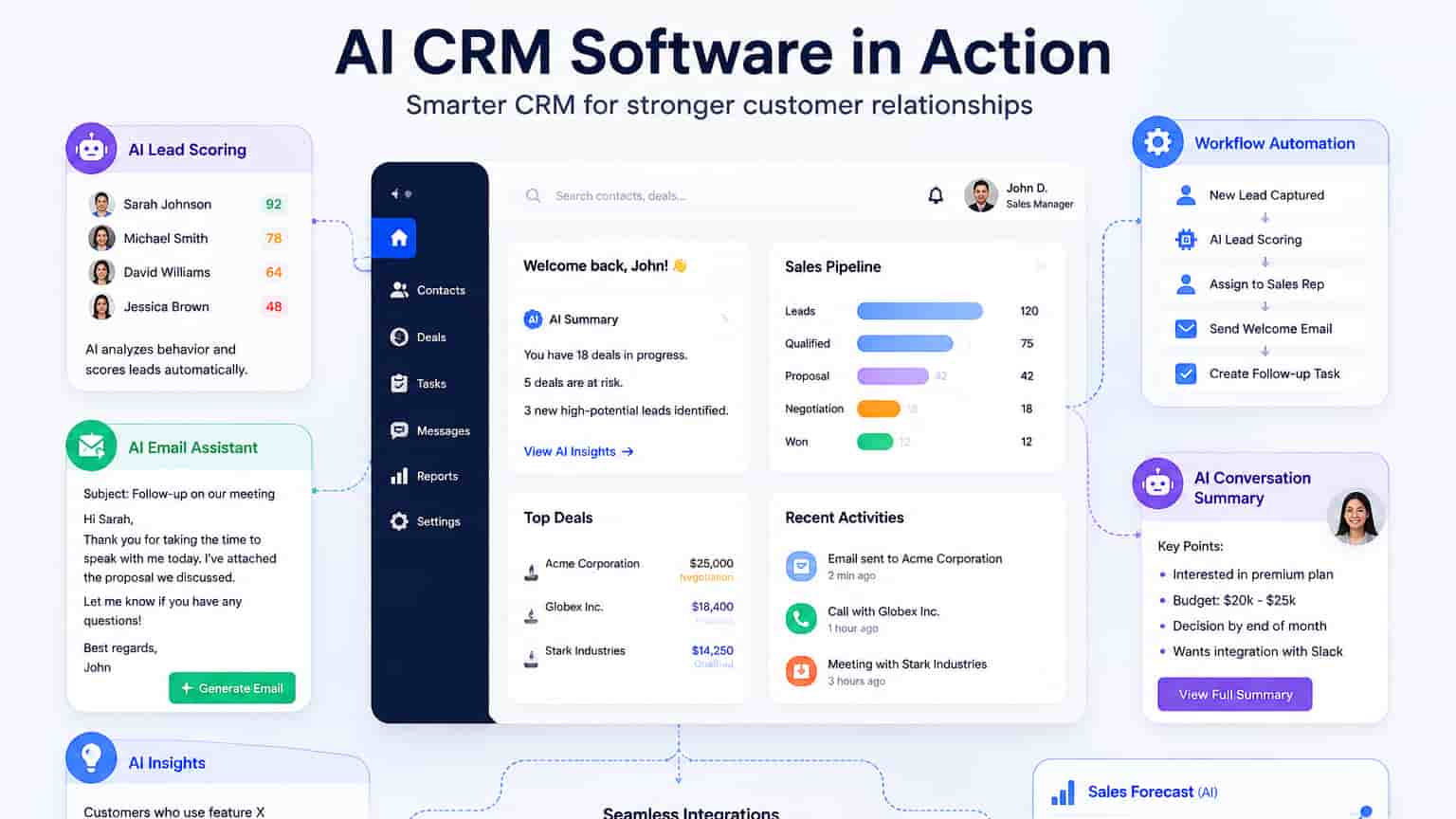
AI can analyze available customer and sales information to help prioritize leads.
Instead of treating every prospect equally, salespeople can concentrate on leads that appear more promising.
AI Email Assistance
Writing follow-up emails takes time.
AI can help salespeople draft, rewrite, summarize, or personalize messages while allowing the employee to review the final version.
Sales Forecasting
Some CRM platforms use historical sales information to estimate future performance.
This can help managers understand whether the current pipeline is likely to meet business targets.
If your main goal is improving sales productivity, you can also explore our guide to AI sales assistant software.
Conversation Summaries
AI can summarize calls, meetings, and customer interactions.
This becomes particularly useful when several employees work with the same customer.
Automated Workflows
Automation can handle repetitive tasks such as assigning leads, creating reminders, updating records, and sending notifications.
Businesses looking to automate more than CRM tasks can also explore AI workflow automation for small businesses.
Customer Insights
AI can analyze customer information and identify patterns that might otherwise take hours to discover manually.
CRM is only one part of customer management. Our guide to AI customer service tools for small businesses covers additional ways AI can improve customer support.
AI CRM Software Pricing
AI CRM software pricing varies considerably between providers. Some platforms offer free CRM plans, while others provide free trials before requiring a paid subscription.
AI features may also be limited by plan. When comparing prices, don’t look only at the advertised monthly subscription. Check the number of users, automation limits, AI usage, integrations, storage, reporting, and customer support.
A CRM that appears inexpensive at first may become more expensive once you add the features your business actually needs.
Pricing and plan limits can change over time, so check each provider’s official pricing page before making a purchase decision.
Is a Free AI CRM Good Enough?
For some small businesses, yes.
A free AI CRM can be sufficient when you mainly need contact management, basic sales tracking, and simple customer organization.
However, free plans usually have limitations.
You may eventually need paid features for advanced automation, reporting, integrations, additional users, or more advanced AI capabilities.
Starting with a free plan can still be a smart approach because it allows you to test whether your team will actually use the CRM.
AI CRM for Startups
Startups usually need a CRM that is affordable, easy to learn, and capable of growing with the company.
An AI CRM for startups should not create unnecessary complexity.
Look for:
Simple setup
Affordable entry-level plans
Useful AI features
Sales automation
Integrations
Scalability
Easy reporting
HubSpot, Zoho, Pipedrive, Freshsales, and Attio are all worth evaluating.
The right choice depends on your sales process and how quickly you expect your company to grow.
How to Choose the Best AI CRM Software
Before buying an AI CRM, ask yourself five questions.
1. What problem are we trying to solve?
Maybe your team loses track of leads. Maybe follow-ups are inconsistent. Maybe customer information is spread across different applications.
Identify the problem first.
2. How many people will use it?
Most CRM pricing models are affected by the number of users.
3. Which AI features will actually help?
Don’t pay extra for AI simply because it sounds impressive.
Choose features that reduce real work.
4. Does it integrate with your current tools?
Check compatibility with your email, calendar, accounting software, marketing platform, and other important applications.
5. Can it grow with your business?
Switching CRM platforms later can be time-consuming, so consider future requirements before making your decision.
Frequently Asked Questions
What is the best AI CRM software for small businesses?
HubSpot is a strong overall choice for many small businesses because it combines CRM, sales, marketing, and customer-service tools and offers a free CRM option. However, Zoho, Pipedrive, Freshsales, or another platform may be a better fit depending on your budget, team size, and sales process.
What is the best AI CRM software?
There isn’t one answer for every business. HubSpot is a strong general-purpose choice, while Salesforce is better suited to complex organizations and Pipedrive is particularly strong for sales teams.
Is there a free AI CRM?
Yes. Several providers offer free CRM plans, although the amount of AI functionality included can vary. Always check the provider’s current plan before signing up.
What does AI do in CRM?
AI can help with lead scoring, email generation, customer summaries, sales forecasting, recommendations, data analysis, and workflow automation.
Is AI CRM software useful for small businesses?
Yes. It can be particularly useful when it reduces repetitive administrative work and helps a small team organize customer relationships more efficiently.
What is AI CRM software pricing?
Pricing depends on the provider, number of users, plan, integrations, automation limits, and AI features. Some platforms have free options, while advanced features require paid subscriptions.
Is AI CRM good for startups?
Yes. Startups can use AI CRM tools to organize leads, automate follow-ups, and manage customer relationships without adding a large administrative workload.
Can I switch CRM later?
Yes, but moving data takes effort. It’s better to choose carefully from the beginning
Final Thoughts
For most small businesses in 2026, HubSpot CRM is the best overall starting point because of its free plan, ease of use, and strong AI features.
However, the best choice depends on your situation:
Want the best free starting option + growth path? → HubSpot
Want maximum value and customization? → Zoho CRM
Focused mainly on sales pipelines? → Pipedrive
Need a simple AI CRM for a small sales team? → Freshsales
Expecting significant growth and complexity? → Salesforce
The smartest approach is to start with the free or trial version of your top two options and test them with real leads.