

Managing invoices by hand can be a challenge for small businesses. Every invoice has to be entered into the system, checked, approved, and matched with purchase orders before it can be paid. As your business grows, these tasks take up more time and increase the risk of costly mistakes.
That is where generative AI invoice management software comes in.
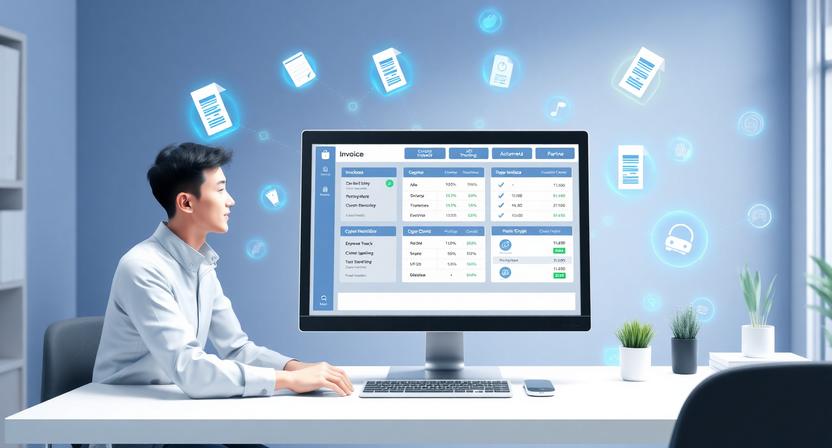
Modern AI invoice management tools can automatically read invoices, extract important details, detect duplicate invoices, send them to the right people for approval, and even update your accounting software. Instead of spending hours on paperwork, your finance team can focus on budgeting, planning, and helping the business grow.
The best part is that many AI invoice automation tools are now available for startups and small businesses. You do not need a huge budget to automate your accounts payable process.
In this guide, you will find the best generative AI invoice management software for small businesses in 2026. We compare features, pricing, pros and cons, and explain how to choose the right solution for your business.
What Is Generative AI Invoice Management Software?
Generative AI invoice management software uses artificial intelligence to automate the invoice management process. Instead of typing invoice details into your accounting software by hand, the AI reads the document, extracts important information, checks the data, and sends it to the right people for approval.
These generative AI invoice management platforms use technologies such as OCR, machine learning, and generative AI to understand invoices from different vendors, even when their layouts vary.
AI invoice management software can automatically extract invoice data, capture vendor information, match purchase orders, detect duplicate invoices, send invoices for approval, update accounting software, and generate reports.
For businesses, this means fewer manual tasks, fewer errors, and faster invoice processing.
Want to know more about AI business automation tools check Best AI Tools for Small Businesses in 2026
How Generative AI Invoice Management Software Works
Although every platform works differently, the overall process is simple.
Step 1: Receive the Invoice
Invoices can arrive by email, PDF upload, cloud storage, or scanned paper documents.
Step 2: The Tool Reads the Invoice
The software analyzes the invoice and identifies important information, such as the vendor name, invoice number, invoice date, due date, purchased items, taxes, and total amount.
Step 3: Check the Invoice Data
Like a human reviewer, the software checks invoice information against purchase orders, contracts, or previous invoices to identify inconsistencies.
Step 4: Smart Approval Workflow
The AI automatically sends invoices to the appropriate manager or department for approval.
Step 5: Accounting Integration
Once the invoice is approved, the data can be sent to your accounting software, such as QuickBooks, Xero, or Microsoft Dynamics 365.
Step 6: AI Reporting
The software can generate spending reports, financial insights, and cash-flow forecasts to help businesses make better financial decisions.
This automated workflow can save hours every week and reduce manual errors.
Benefits of Generative AI Invoice Management Software
The biggest advantage of AI invoice management software is that it takes away repetitive tasks from your finance process. Instead of spending hours entering invoice details your team can focus on more important tasks that help the business grow.
Saves Hours of Manual Work
Entering invoice data by hand is slow and repetitive. AI automatically captures details extracts the necessary information and updates your accounting system within minutes.
Explore More AI Tools Click Here Best AI Sales Assistant Software for Small Businesses in 2026
For small businesses this can save several hours every week.
Reduces Human Errors
Mistakes when entering payment information or missing invoices can lead to costly problems.
Generative AI invoice management software automatically checks invoice data and flags unusual amounts, duplicate invoices, and missing purchase orders before payments are approved.
Speeds Up Invoice Approvals
Invoices can get stuck in someone’s inbox, waiting for someone to approve them.
AI can automatically route invoices to the appropriate manager, send reminders, and keep the approval process moving efficiently.
Improves Cash Flow Management
Late payments can damage supplier relationships, while early payments may reduce available cash.
AI helps businesses track payment deadlines and prioritize invoices, improving cash flow management.
Lowers Operating Costs
Hiring additional accounting staff can be expensive. Instead, many small businesses use affordable AI software to automate invoice processing, reduce costs, and improve efficiency.
Better Financial Visibility
With real-time dashboards, today’s AI-driven invoice management platforms can show invoice status, payment information, vendor spending, monthly expenses, and cash-flow reports.
These insights help business owners make better financial decisions.
Scales With Your Business
As your business grows, the number of invoices you process will also increase.
AI invoice management software can process hundreds or even thousands of invoices without requiring additional staff, making it a useful long-term solution for growing businesses.
Top 10 Best Generative AI Invoice Management Software for Small Businesses in 2026
1. Vic.ai
If your business gets a lot of invoices every month Vic.ai is one of the advanced AI invoice automation platforms available.
Unlike invoice software Vic.ai uses generative AI and machine learning to understand invoices, automate approvals and get better over time.
It can automatically get invoice data find invoices recommend approval workflows and integrate with popular ERP and accounting systems.
Key Features
AI-powered invoice processing
data extraction
Duplicate invoice detection
Smart approval workflows
Purchase order matching
Accounts payable automation
Real-time reporting
ERP integrations
Pricing
Custom pricing based on business requirements.
Pros
Excellent AI accuracy
Reduces manual invoice processing
Smart approval automation
Learns from invoices
Powerful analytics
Cons
No public pricing
This is perfect, for businesses that are getting bigger and have a lot of invoices to deal with.
Best For: Businesses that are growing and medium companies that want to use advanced technology to automate their invoices.
2. Stampli
If your business has problems with invoice approvals Stampli is an excellent AI invoice management solution. It brings together communication, approvals and invoice processing in one place making it easier for teams to work together.
Its AI assistant, Billy the Bot automatically gets invoice data, flags issues and recommends coding based on previous invoices.
Key Features
AI invoice data capture
Automated approval workflows
Purchase order matching
Duplicate invoice detection
Vendor communication
ERP integrations
Real-time invoice tracking
Pricing
Custom pricing based on your business size.
Pros
approval workflow
Excellent collaboration features
Accurate AI invoice recognition
Strong accounting integrations
Cons
No public pricing
Best For: business owners who want to get their invoices approved quickly and have their team work together more smoothly.
3. Tipalti
Tipalti is not a tool that helps with invoices. It does a lot of things like invoice processing using artificial intelligence and it also helps with paying people managing the people you buy things from making sure you follow tax rules and handling money that you owe to others.
If your business buys things from suppliers then Tipalti can really help you save time. Tipalti can make things easier, for you when you are working with suppliers.
Key Features
AI invoice processing
Supplier onboarding
Global payment automation
Tax compliance tools
Purchase order matching
Fraud detection
Multi-currency support
Pricing
Custom pricing.
Pros
Complete accounts automation
Excellent global payment support
Strong compliance features
Saves administrative time
Cons
Expensive for very small businesses
Some advanced features require onboarding
Best For: Growing businesses managing vendors and multiple payment methods.
4. BILL AP Automation
Formerly known as Bill.com BILL AP Automation is one of the most popular AI invoice automation platforms for small businesses. It makes it simple to get invoices approve them pay bills and synchronize accounting.
It integrates seamlessly with QuickBooks, Xero, Oracle NetSuite and Sage making it ideal, for businesses using these accounting platforms.
Key Features
AI invoice capture
Automatic bill approvals
OCR invoice processing
Payment scheduling
Vendor management
QuickBooks integration
Xero integration
Pricing
Paid plans typically start around $45/month depending on features.
Pros
easy to use
Excellent QuickBooks integration
Fast invoice approvals
Strong automation capabilities
Cons
Advanced automation requires higher-tier plans
Transaction fees may apply
Best For: Small business owners who use QuickBooks or Xero can really benefit from this because it makes managing invoices very easy.
5. Airbase
Airbase is an exceptional AI tool that helps you manage your expenses and invoices. It uses intelligence to make things easier. The Airbase platform lets you handle invoices send them to the people for approval and connect the information to your accounting software. Airbase also helps you manage expenses and understand where your company is spending money. If you need a way to manage invoices and track company expenses Airbase is a good option.

Key Features
Airbase uses intelligence to process invoices
Airbase helps with managing expenses
Airbase assists with buying things for the company
Airbase creates a workflow for approvals
Airbase manages company credit cards
Airbase connects with accounting software
Airbase provides financial reports
Pricing
The cost of Airbase depends on what the company needs.
Pros
Airbase is a solution for managing company expenses
Airbase automates tasks so you do not have to do them
The Airbase dashboard is easy to use
Airbase provides powerful reports and analysis
Airbase is a great tool for managing expenses and invoices
Cons
Airbase does not have a free plan
The cost of Airbase might be too high for small companies
Best For: Airbase is perfect for growing companies that want to manage all their expenses and invoices in one place. Airbase is great, for companies that want to use intelligence to automate tasks. Airbase helps companies track and manage their expenses and invoices easily.
6. Yooz
Yooz is a cloud-based AI invoice management software that is created to make accounts payable easier for businesses of all sizes. Yooz uses intelligence and OCR technology to collect invoice data, automate approvals and cut down on manual work.
I have experienced the strengths of Yooz is the way it can connect with hundreds of accounting and ERP systems, which makes it a flexible solution for businesses that are growing.
Key Features
AI invoice capture
OCR data extraction
Automated approval workflows
Purchase order matching
invoice detection
Real-time reporting
ERP and accounting integrations
Pricing
Custom pricing based on business needs.
Pros
Easy to use
OCR accuracy
Strong accounting integrations
Fast invoice approvals
Cons
No public pricing
You have to pay for the advance features
Best For: Small businesses that want an easy-to-use AI accounts payable automation platform.
7. Rossum
Rossum is a document processing platform that uses generative AI to get information from invoices with very little manual effort. Unlike OCR software Rossum understands invoice layouts and keeps getting better at being accurate over time.
It is very helpful for businesses that get invoices from different vendors.
Key Features
AI document processing
Intelligent OCR
Invoice data extraction
Workflow automation
ERP integrations
Approval workflows
AI validation
Pricing
Custom pricing.
Pros
good AI accuracy
Learns from past invoices
Supports many invoice formats
Reduces manual data entry
Cons
Pricing is focused on enterprise users
Needs setup to get the results
Best For: Businesses that handle a number of invoices from various suppliers.
8. SAP Concur Invoice
SAP Concur Invoice is a tool that helps companies handle invoice processing get approvals and manage expenses all in one place
It AI-powered automation makes paperwork easier while making compliance better and giving financial visibility.
It is a choice for companies that already use SAP products.
Key Features
AI invoice processing
Expense management
Approval automation
Compliance monitoring
Vendor management
Reporting dashboards
SAP integrations
Pricing
Custom pricing.
Pros
automation
Excellent reporting
Secure platform
Trusted enterprise solution
Cons
Costly for small businesses
Setup can take some time
Best For: Growing businesses that already use SAP products.
9. Quadient AP
Quadient AP makes invoice approvals, vendor payments and accounts workflows simpler using AI automation. It helps businesses reduce paperwork while making payments more accurate.
The platform works with accounting software and provides real-time invoice tracking.
Key Features
AI invoice automation
Approval workflows
Vendor management
Payment scheduling
Accounting integrations
Reporting tools
Pricing
Custom pricing.
Pros
User-friendly interface
Strong approval workflows
Good reporting
Easy accounting integration
Cons
No free plan
No pricing information available publicly
Best For: business owners looking for simple accounts payable automation.
10. Microsoft Dynamics 365 Finance
If you already use Microsoft products then Microsoft Dynamics 365 Finance is a choice because it has a lot of features like managing invoices with the help of artificial intelligence reporting, budgeting and automating accounts payable. Microsoft Dynamics 365 Finance is very helpful, for managing Microsoft Dynamics 365 Finance tasks.
Its AI features help automate invoice processing find payment risks and make forecasting better.
Key Features
AI invoice processing
Accounts payable automation
Reporting
Budget management
Good Cash flow forecasting
Microsoft ecosystem integration
It has AI-powered insights
Pricing
You need to pay around $210 per month.
Pros
Powerful AI features
Excellent Microsoft integration
financial reporting
Highly scalable
Cons
Expensive for small businesses
More complicated, than simpler solutions
Best For: Business owners who already use Microsoft Dynamics or Microsoft 365 for operations.
Best Generative AI Invoice Management Software Comparison (2026)
| Tool | Best For | Free Trial | Starting Price | Key AI Features | Overall Rating |
|---|---|---|---|---|---|
| Vic.ai | Enterprise AP Automation | Demo | Custom | AI invoice capture, approval automation, duplicate detection | ★★★★★ |
| Stampli | Invoice Approvals | Demo | Custom | AI invoice capture, approval workflow, PO matching | ★★★★☆ |
| Tipalti | Global Payments | Demo | Custom | AI invoice processing, supplier onboarding, tax compliance | ★★★★★ |
| BILL AP Automation | QuickBooks Users | Yes | From $45/month | AI invoice capture, OCR, automated bill payments | ★★★★★ |
| Airbase | Spend Management | Demo | Custom | Invoice automation, expense management, procurement | ★★★★☆ |
| Yooz | Small Businesses | Yes | Custom | OCR, AI invoice processing, approval workflows | ★★★★☆ |
| Rossum | Document Processing | Demo | Custom | Generative AI OCR, document understanding | ★★★★☆ |
| SAP Concur Invoice | Large Businesses | Demo | Custom | AI invoice automation, compliance, expense management | ★★★★☆ |
| Quadient AP | Accounts Payable | Demo | Custom | Approval workflows, invoice automation | ★★★★☆ |
| Microsoft Dynamics 365 Finance | Microsoft Ecosystem | Yes | From $210/user/month | AI invoice automation, forecasting, financial insights | ★★★★☆ |
How to Pick the Right Generative AI Invoice Management Software
Finding the best AI invoice management software really comes down to what your business needs right now—your size, budget, and how complex your accounting gets. Don’t just dive in. It’s worth thinking through a few things first.
1. Set a Realistic Budget
Some tools are pretty affordable and have clear monthly pricing. Others—especially bigger, enterprise versions—can get pricey and require custom quotes. If you’re running a small business or a startup, stick to something that matches your wallet today, but make sure it won’t hold you back when you grow.
2. See if It Plays Nice with Your Accounting Software
Your payment system should work with the tools you already use. Look for links, with QuickBooks, Xero, Sage, NetSuite or Microsoft Dynamics 365. Less time spent moving information and fixing mistakes when everything connects without any effort.
3. Check the AI Features—Go Beyond Just Scanning
Good invoice software shouldn’t stop at reading text. You should Look for things like smart invoice data capture plus duplicate finder, automatic expense coding, approval workflows, AI-driven reporting, and built-in fraud checks. These tools make your life a lot easier for your finance team.
4. Make Sure It’s Easy to Use
If it’s clunky or confusing, adoption will be a pain. You want something your team can pick up fast—a clean dashboard, simple processes, clearly organized reports.
5. Don’t Skip on Security
Invoicing means handling private financial stuff. Be sure that your software has strong security—things like data encryption plus user permissions, audit trails, and compliance with financial rules. Safety first.
6. Think About Growth
If your business takes off, you’ll be processing a lot more invoices. Pick software that can easily scale up with you, so you don’t have to switch systems when things get busy.
Choosing the wrong software creates headaches, even if it’s packed with features. Here’s what trips people up most often:
Going Too Big, Too Soon
Enterprise-level tools sound impressive, but you probably don’t need enterprise features right away. Why pay for extras you won’t use?
Missing Integration Details
Double-check those integration claims—can it actually connect easily to your current accounting, ERP, and payment platforms? Weak integrations mean you’ll end up back in spreadsheets.
Common Mistakes that you should Avoid
AI invoice management software will not work well for your business if you choose the wrong solution. Here are some common mistakes to avoid when choosing this type of software.
Choosing Enterprise Software Too Early
Many enterprise platforms offer features that small businesses may not need. Paying for unnecessary features can increase your costs without providing much additional value. AI invoice management software should make your work easier, so choose a platform that matches your business needs.
Ignoring Software Integrations
Always make sure the software works with your accounting system and other platforms you use to manage payments and finances. If the software does not integrate well with these systems, you may have to continue doing some tasks manually. The goal of AI invoice management software is to reduce manual work.
Buying Based on Price
The cheapest software is not always the best choice. Before making a decision, consider the AI’s accuracy, automation capabilities, customer support, ease of use, and integrations. This will help you choose the right AI invoice management software for your business.
Skipping the Free Trial
If a free trial or demo is available, use it before making a purchase. This gives you a chance to see whether the software fits your invoice management process. Test important features and check how well the platform works with your existing systems.
Expecting AI to Handle Everything
AI can automate many tasks, but human oversight is still important. Review unusual invoices, approve high-value payments, and monitor your financial reports. AI invoice management software is a tool to support your finance team, not a complete replacement for human judgment.

Frequently Asked Questions
What is generative AI invoice management software?
Generative AI invoice management software uses artificial intelligence to automate tasks such as extracting information from invoices, checking invoice data, routing invoices for approval, and supporting payment workflows. It can reduce manual data entry and help businesses process invoices more efficiently.
Can small businesses use AI invoice management software?
Yes. Many AI invoice management tools are designed for small businesses and startups. They can help automate invoice processing, reduce manual work, and improve accuracy. Some providers also offer affordable plans, free trials, or demos.
Is AI invoice management software secure?
Leading providers typically use security measures such as data encryption, secure cloud storage, access controls, and audit trails to protect financial information. However, security features vary between providers, so businesses should review each platform’s security and compliance information before choosing one.
Do AI invoice software tools work with QuickBooks?
Yes. Many invoice management platforms integrate with QuickBooks and other popular accounting systems. However, the available integrations can vary by provider and subscription plan, so check the software’s current integration list before purchasing.
How much does AI invoice management software cost?
Pricing varies significantly between providers. Some platforms offer free trials or demos, while others charge monthly or annual subscription fees. Enterprise platforms may use custom pricing based on features, invoice volume, users, and business requirements. Check the provider’s current pricing page for the most accurate information.
Can AI replace accountants?
No. AI can automate repetitive tasks such as invoice processing, data extraction, and data entry, but accountants are still important for financial planning, reviewing transactions, compliance, auditing, and making important business decisions. AI invoice management software is designed to support accounting teams, not replace them.
Final Thoughts
Managing invoices manually can slow down your business, increase errors, and consume valuable time. The right generative AI invoice management software can automate repetitive tasks, improve accuracy, and give your finance team more time to focus on strategic work.
If you’re looking for an easy-to-use solution, BILL AP Automation is a strong option for small businesses. Yooz offers flexibility, while Vic.ai provides advanced AI capabilities for businesses handling a high volume of invoices. Companies with global operations may benefit from Tipalti, while businesses already using Microsoft products can consider Microsoft Dynamics 365 Finance.
Start by identifying your biggest invoice management challenges, compare a few tools, and take advantage of free trials or product demos whenever possible. As your business grows, the right AI invoice management software can help keep your finances organized and make it easier to scale your operations.
Explore More Best AI Email Marketing Tools for Small Businesses
Always check the vendor’s official website for the latest pricing and features, as these details can change over time. This will help you make a more informed decision when choosing software for your business.