

Image: DeepAI
Running a small business means managing projects, deadlines, clients, meetings, and team tasks at the same time. Spreadsheets and group chats may work in the beginning, but they quickly become messy and inefficient as the workload grows.
AI-powered project management software can help reduce that burden. Modern tools can automatically create tasks, summarize progress, prioritize work, automate repetitive processes, and even help plan projects more intelligently.
However, not every tool that advertises “AI” delivers the same value. Some focus on smart scheduling, others on automation or all-in-one workspaces. For a small business, the best software should be easy to use, reasonably priced, and actually helpful for the way your team works.
In this guide, I’ve compared the 10 best AI project management tools for small businesses in 2026 based on features, AI capabilities, pricing, ease of use, and real-world suitability.
Quick answer:
Best Overall: ClickUp
Best for Visual Teams: monday.com
Best for Simplicity: Asana
Best for AI Scheduling: Motion
Best Budget Option: Zoho Projects
If your team spends too much time moving information between apps, AI workflow automation can take care of many of those repetitive steps.
I have compared these 10 platforms based on their current features, AI capabilities, pricing, project-management functions, and suitability for small businesses. I also considered how each tool fits different types of teams and workflows.
Quick Comparison
| Software | Best For | AI Strength | Free Plan | Starting Price |
|---|---|---|---|---|
| ClickUp | All-in-one project management | AI planning, summaries, prioritization, automation and agents | Yes | $7/user/month |
| monday.com | Visual workflows and automation | AI workflows, automation and agents | Yes | $9/seat/month |
| Asana | Simple project management | AI workflows, project updates and task assistance | Yes | $10.99/user/month |
| Motion | AI scheduling and time management | Automatic scheduling and AI project planning | Trial | $19/user/month |
| Zoho Projects | Budget-conscious teams | Zia AI for planning, tasks and project insights | Yes | From $5/user/month |
| Wrike | Complex workflows | Risk insights, workload management and automation | Yes | $10/user/month |
| Teamwork.com | Agencies and client projects | AI project planning, summaries and resource insights | Yes | $9.99/user/month |
| Notion | Projects and documentation | AI search, writing, summaries and agents | Yes | $10/user/month |
| Jira | Software development teams | AI issue management, summaries and Rovo agents | Yes | $7.91/user/month |
| Smartsheet | Spreadsheet-style project management | AI formulas, data analysis and workflow assistance | Trial | $9/member/month |
Note: Prices shown are based on annual billing where applicable.
Pricing, AI usage limits, features and plan availability can vary by team size and region.
Check the provider’s current pricing before purchasing.
1. ClickUp: Best Overall AI Project Management Software
Best for: Small businesses that want project management, tasks, documents, automation, and AI in one platform.
ClickUp is one of the strongest all-in-one options for small businesses that want to combine project management with AI. Instead of using a separate AI assistant alongside a project-management platform, ClickUp integrates AI into many parts of its workspace.
Depending on the plan, ClickUp’s AI features can help summarize projects, create tasks and subtasks, prioritize work, generate content, answer questions about workspace information, and automate repetitive processes.
What makes ClickUp stand out in 2026:
ClickUp Brain can summarize entire projects, generate tasks from a simple description, prioritize work, answer questions about your workspace, and help write updates or documents. It also supports AI agents that can handle repetitive processes.
Who should choose ClickUp:
Choose ClickUp if you want one platform that can handle projects, tasks, documents, goals, and AI automation — and you’re willing to spend a little time learning the system.
Pros
Wide range of project-management features
Strong AI capabilities
Useful automation options
Free plan available
Large selection of integrations
Cons
Can feel overwhelming for beginners
Large number of features creates a learning curve
AI features and pricing vary by plan
My take: ClickUp is a strong choice if you want one platform to manage projects, tasks, documents, collaboration, and AI-powered automation.
What ClickUp AI can do
Summarize projects and tasks
Generate and edit content
Answer questions about workspace information
Prioritize work
Assign tasks
Automate repetitive processes
Use AI agents
Research information
Create AI-powered project insights
Convert conversations into actionable work
Pros
Very broad feature set
Strong AI capabilities
Good for teams that want one workspace
Free plan available
Large number of integrations
Useful for both simple and complex projects
Cons
Can feel overwhelming for beginners
The number of features can create a learning curve
AI pricing needs to be considered separately from the core platform
Best for
ClickUp is my best overall choice for a small business that wants a single platform for projects, tasks, documents, communication, and AI automation
AI sales assistant software → AI tools that help sales teams manage leads, follow-ups, and daily sales tasks.
2. monday.com: Best for AI Workflow Automatio.
Best for: Businesses that want to manage their projects in a visual way with flexible workflows that use artificial intelligence.
monday.com is really well known for its boards but now the artificial intelligence part of the product is just as important.
The artificial intelligence on monday.com can do a lot of things such as managing workflows taking care of tasks keeping track of meeting notes making summaries and even automating some work.
One thing that is new in 2026 is the way monday.com uses intelligence credits. When you buy the platform you get a number of artificial intelligence credits with each seat.
Basic comes with 1,000 credits per month, Standard with 2,000, and Pro with 3,000.
How fast you use up these credits depends on how complicated each task’s
The current price for monday.com is $9 per seat per month for the Basic plan. $12 Per seat per month for the Standard plan if you pay every year.
You can use the intelligence features even on the Basic plan.
monday.com is especially strong for marketing teams, operations teams, and businesses that manage client work. Its visual boards make it easy to see the status of every project at a glance.
The main thing to watch is AI credit usage. Heavy AI use can consume credits faster, so it’s worth monitoring if your team relies on AI features daily.
What monday AI can do
Automate AI-powered workflows
Summarize work
Analyze information
Generate content
Assist with task management
Create AI-powered apps and workflows
Use AI agents
Summarize meetings
Help with daily project updates
Pros
Excellent visual interface
Flexible workflows
Strong automation
Good for marketing and operations teams
Easy to customize boards
AI is integrated into the work platform
Cons
AI usage is credit-based
Costs can increase as AI usage grows
Customization can become complicated
Best for
Choose monday.com if your business wants a visual project management system with powerful workflow automation.
3. Asana: Best for Easy Project Management
Best for:Growing teams that want a project management tool that is easy to learn and use.
Asana has been around for a time and now its artificial intelligence features do more than just help with writing.
You will find Asana’s AI Studio, workflows, help with managing projects and Asana’s AI features can help with project planning, task management, workflow automation, reporting, and project insights.
The Starter plan is priced at ten dollars and ninety nine cents per user per month when you pay once a year or thirteen dollars and forty nine cents if you pay each month.
It comes with Asana’s AI Studio Basic which has fifty thousand credits, per billing account each month plus Timeline and Gantt views, reporting dashboards, forms and unlimited automations.
Asana is one of the easiest tools to learn. If your team is new to project management software or prefers a clean and structured system, Asana is often the most comfortable choice.
It may not have as many customization options as ClickUp, but it excels at clarity and keeping everyone aligned.
What Asana AI can help with
Create and manage workflows
Generate content
Summarize project information
Assist with project updates
Automate repetitive work
Analyze project information
Help teams organize tasks
Pros
Clean interface
Easy to learn
Excellent task management
Strong collaboration features
Good automation
Useful for cross-functional teams
Cons
Advanced AI capabilities may require higher plans
Can become expensive as the team grows
Some businesses may want more advanced resource management
Best for
Asana is a strong choice if ease of use is more important than having the largest possible collection of AI features.
Motion: Best for AI Scheduling
Best for: Small teams and people who keep missing deadlines or fighting with their calendar.
Motion works differently from most project tools.
It doesn’t just help you sort a task list. It tries to build your day for you. The system looks at your deadlines, meetings, priorities, and free time, then rearranges the work around those constraints.
You get an AI that can map out projects, manage single tasks, and control the calendar. There are also workflows, meeting notes, dashboards, and a chat assistant if you need to ask questions.
Motion is different from traditional project management tools. Instead of just organizing tasks, its AI tries to build your daily schedule automatically based on deadlines, priorities, and meetings.
This makes it especially useful for founders, freelancers, and small teams who constantly feel short on time.
Pricing right now: Pro AI runs $19 per seat each month if you pay yearly. Business AI is $29.
What Motion AI can do
Automatically schedule tasks
Reorganize work when deadlines change
Plan projects
Create AI-powered project timelines
Schedule around meetings
Prioritize tasks
Summarize meetings
Automate repeatable workflows
Pros
Excellent automatic scheduling
Strong calendar integration
Good for busy professionals
Useful for deadline-driven projects
AI is central to the product
Cons
More expensive than many traditional project tools
May be unnecessary for simple task management
Best features are focused on scheduling and productivity
Best for
Motion is the best choice if your biggest project-management problem is:
“There are too many tasks and I don’t know when everything should actually get done.”
5. Zoho Projects:Best Budget-Friendly AI Project Management Software
Best: Businesses that want a capable project-management platform with a free option.
It is perfect for businesses that want good project tools but do not want to pay a lot every month.
Zoho Projects is worth considering when you’re, on a tight budget.
Zoho Projects is worth a look if money is tight. It gives you standard project management plus Zoho’s own AI, called Zia.
Zia can take a simple project description and turn it into a full setup with tasks and subtasks. It also helps you search project data and pull clearer insights from the numbers.
You can start free with up to five users. The paid plans unlock more of Zia’s tools—summaries, translation, automatic task creation, and better insights.
Zoho Projects is one of the most cost-effective options available. It includes useful AI features through Zia and offers a free plan that works well for very small teams.
If budget is a major concern and you still want solid project management + AI capabilities, Zoho Projects is worth serious consideration.
What Zia can do
Create project plans
Generate tasks and subtasks
Search project information
Summarize information
Analyze project metrics
Translate project content
Answer questions about project data
Pros
Free plan for small teams
Affordable ecosystem
Strong project-management basics
AI is integrated into the platform
Good fit for small businesses
Cons
Interface may take time to learn
Some advanced features are limited to higher plans
Less popular in the U.S. than some major competitors
Best for
Zoho Projects is one of my top choices if budget is a major factor.
Zoho also says customer data is not used to train its AI models and that its AI functions are designed with data controls and privacy protections.
6. Wrike: Best for AI-Powered Risk and Workflow Management
Growing businesses that are handling processes and many different projects. Wrike is designed more for work management instead of just simple, to-do lists.
Wrike is built more for structured work management than simple task lists.
Its AI tools cover insights, a Copilot, natural-language automation, and AI agents. Those agents can run multi-step processes—things like spotting risks, sorting incoming work, or handling triage.
AI customer service tools → AI tools that help businesses automate support and improve customer responses.
The Team plan currently starts at $10 per user per month and includes AI Essentials. Business is $25 per user per month and unlocks the higher-tier AI Elite features.
What Wrike AI can do
Summarize project information
Prioritize work
Generate content
Create automation rules from natural-language instructions
Analyze project information
Identify risks
Support AI agents
Help with project intake and triage
Pros
Powerful workflow management
Strong reporting
Excellent for complex projects
AI agents can automate multi-step work
Good resource-management capabilities
Cons
More complex than beginner-friendly tools
Some advanced AI capabilities are plan-dependent
Better suited to growing teams
Best for
Wrike is a good choice when your projects involve multiple teams, complicated workflows, resource planning, or risk management.
7. Teamwork.com: Best for Client-Based Businesses
Best for: Agencies, consultants, professional services companies, and businesses managing client projects.
Teamwork.com focuses on the practical side of client work. It handles project delivery, time tracking, team capacity, and keeping an eye on profitability.
The AI tools are straightforward. You get AI summaries, a project and task wizard that helps you set things up, AI assistants, project health checks, resource planning, and forecasts that show whether a project is likely to stay profitable.
The Basics plan starts at $9.99 per user per month when billed annually. Teamwork AI comes included with paid plans for an introductory period. Usage-based AI credits are planned to arrive in September 2026.
What Teamwork AI can do
Create projects from prompts
Summarize tasks and discussions
Answer questions about project data
Create tasks
Analyze team utilization
Help assign work
Forecast project profitability
Support AI project assistants
Pros
Excellent for agencies
Strong time tracking
Client-focused project management
Resource management
Profitability tools
AI assistants designed around project delivery
Cons
More specialized than general project-management apps
Some advanced AI features require higher plans
Can be more than a small internal team needs
Best for
If your business delivers projects for clients, Teamwork.com deserves serious consideration.
8. Notion: Best for Projects and Knowledge Management
Best for: Teams that want project management, documentation, notes, and knowledge in one place.
Notion doesn’t work like a traditional project management tool such as Asana or monday.com. Its real strength is putting project databases, documents, wikis, notes, and tasks in the same workspace, then layering AI on top.
The Business plan costs $20 per member per month. The AI can handle multi-step tasks by pulling context from your Notion pages, connected apps, and the web.
What Notion AI can do
Search workspace information
Generate documents
Summarize information
Autofill databases
Answer questions
Work with connected information
Perform multi-step tasks
Help create and organize project information
Pros
Excellent documentation
Flexible databases
Projects and knowledge in one workspace
Strong AI context
Great for content and marketing teams
Cons
Requires more setup than traditional project-management software
Less structured out of the box
Advanced AI requires a higher plan
Best for
Notion is especially useful if your team wants projects, SOPs, meeting notes, documentation, and company knowledge in the same workspace.
9. Jira: Best for Software Development Teams
Best for: Software companies, developers, product teams, and technical projects.
Jira remains one of the strongest choices for development teams. Its AI features come from Atlassian’s Rovo. You can search project information with plain language, create work items, break larger pieces of work into tasks, get summaries of work items, and use AI agents.
The Standard plan starts at $7.91 per user per month. It includes Rovo Search, Chat, Agents, and the integrated AI work features.
What Jira AI can do
Search project data using natural language
Create work items
Break large work into tasks
Summarize issues
Automate workflows
Assign work to AI agents
Connect project context across Atlassian products
Atlassian says Rovo can use organizational context from its Teamwork Graph to help agents understand work across connected systems.
Pros
Excellent for software teams
Strong issue tracking
Powerful automation
Advanced development workflows
AI agents and natural-language search
Cons
Can be complicated for nontechnical teams
Overkill for simple projects
Requires more setup than lightweight tools
Best for
Choose Jira when your business manages software development, engineering, product backlogs, bugs, releases, and technical workflows.
10. Smartsheet: Best Spreadsheet-Style AI Project Management Software
Best for: Teams that prefer spreadsheets but need more powerful project management.
Smartsheet keeps the spreadsheet layout many people already know and layer on project management tools, automation, dashboards, and AI.
The Pro plan is currently $9 per member per month when you pay annually. Its AI features include Smart Assist for conversational help, Smart Columns, AI-powered dashboards, and forms that fill themselves more intelligently.
What Smartsheet AI can do
Generate formulas
Analyze data
Create AI-powered dashboards
Summarize information
Assist with forms
Generate content
Work with project data
Support automated workflows
Pros
Familiar spreadsheet-style interface
Strong project tracking
Excellent dashboards
Powerful automation
Good for data-heavy projects
Cons
Can feel less intuitive than modern task-management apps
Advanced AI capabilities vary by plan
Better for structured teams than casual task tracking
Best for
Smartsheet is a good option if your team already thinks in spreadsheets, tables, budgets, schedules, and reports.
AI Project Management Software Comparison
Here’s how the top options compare at a glance.
| Software | AI Planning | AI Automation | AI Agents | Gantt | Free Plan | Best For |
|---|---|---|---|---|---|---|
| ClickUp | Yes | Excellent | Yes | Yes | Yes | Overall |
| monday.com | Yes | Excellent | Yes | Yes | Yes | Workflow automation |
| Asana | Yes | Excellent | Yes | Yes | Yes | Ease of use |
| Motion | Excellent | Yes | Yes | Yes | Trial | AI scheduling |
| Zoho Projects | Yes | Yes | Growing | Yes | Yes | Budget |
| Wrike | Yes | Excellent | Yes | Yes | Yes | Complex workflows |
| Teamwork.com | Yes | Excellent | Yes | Yes | Yes | Client projects |
| Notion | Yes | Yes | Yes | Database-based | Yes | Knowledge + projects |
| Jira | Yes | Excellent | Yes | Yes | Yes | Software teams |
| Smartsheet | Yes | Excellent | Growing | Yes | Trial | Spreadsheet-style PM |
What Is AI Project Management Software?
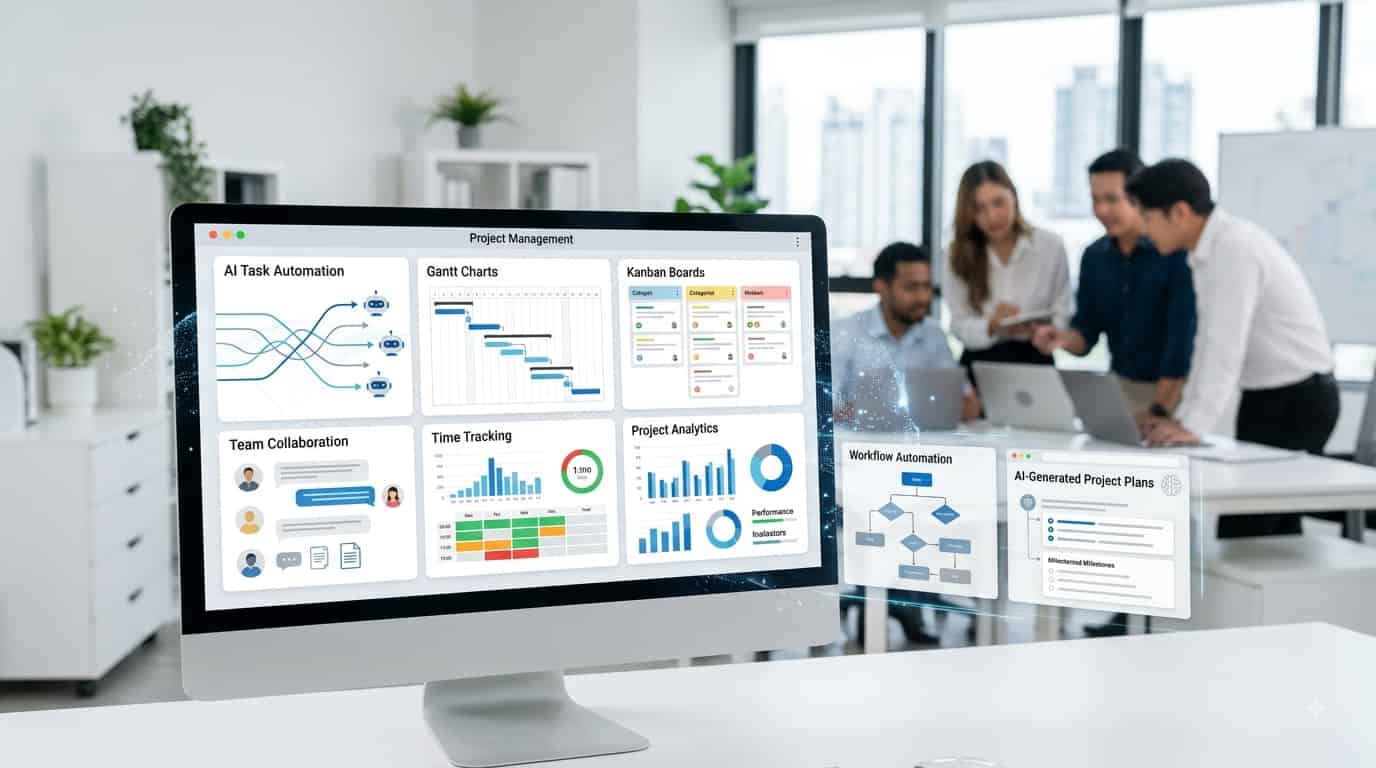
AI project management software is regular project management software that uses artificial intelligence to help teams plan, organize, run, and track projects.
Traditional tools mostly help you answer one basic question: what needs to be done?
AI tools go further. They also help you figure out what should happen next, what might go wrong, and how to keep everything moving without constant manual updates.
What needs to be done?
AI project-management software can also help answer:
What should we do next?
For example, instead of manually creating 20 tasks for a new marketing campaign, an AI-enabled platform may generate a project structure with tasks, owners, deadlines, and dependencies.
Instead of reading 50 task updates, you can ask:
What is blocking this project?
The AI can analyze the available project information and provide a summary.
That is the major difference.
What Can AI Project Management Tools Do?
AI capabilities vary between platforms, but the most useful ones generally fall into several categories.
1. AI Project Planning
You can describe a goal in natural language and have AI turn it into a project plan.
For example:
“Create a four-week website redesign project for a small business.”
The software may generate:
- Project phases
- Tasks
- Subtasks
- Deadlines
- Dependencies
- Milestones
This can save project managers from starting every project from a blank template.
2. AI Task Creation
AI can turn a large task into smaller actionable steps.
For example:
Task: Launch a new company website.
AI might suggest:
Define website requirements
Create sitemap
Write page copy
Design homepage
Develop pages
Add analytics
Test mobile responsiveness
Review SEO
Launch
A project manager can then edit the list instead of creating every task manually.
3. AI Task Prioritization
When a team has hundreds of tasks, deciding what should happen first can be difficult.
AI can look at factors such as:
Deadlines
Priority
Dependencies
Project status
Assigned team members
Workload
and help identify which work deserves attention first.
4. AI Project Summaries
One of the simplest but most useful applications of AI is summarization.
Instead of reading dozens of comments and updates, a manager can receive a short summary showing:
What has been completed
What is still in progress
What is blocked
What changed
What needs attention
This is particularly useful before project meetings.
5. AI Meeting Summaries
Some platforms can transcribe meetings, summarize discussions, and extract action items.
Instead of:
Meeting → notes → manually create tasks
you can get:
Meeting → AI summary → action items → tasks
That reduces administrative work.
6. AI Workflow Automation
AI can help automate repetitive processes.
For example:
New client request → AI categorizes request → creates task → assigns team member → sets priority → sends notification.
This is more powerful than simply generating text.
7. AI Risk Detection
More advanced platforms can analyze project information to identify potential problems.
For example:
A task is overdue
A dependency is blocked
A team member has too much work
A milestone is at risk
A project is falling behind
The software can bring these issues to a manager’s attention earlier.
8. AI Resource Planning
Some tools can analyze workloads and help determine who should handle a task.
This can be particularly useful for agencies and service businesses where employees may work across multiple client projects.
9. AI Agents
AI agents are one of the biggest changes in project management in 2026.
A normal AI assistant waits for you to ask a question.
An AI agent can potentially perform a sequence of actions.
For example:
Find overdue tasks → summarize the problem → update the project → notify the responsible person.
Different platforms offer different levels of autonomy, so businesses should pay attention to permissions, approvals, and auditability before allowing AI to perform actions automatically.
AI Project Management Software vs. Traditional Project Management Softwar
The difference is not simply that one has an AI chatbot.
Traditional project management software helps organize work.
| Traditional PM | AI PM |
|---|---|
| Create tasks manually | Generate tasks from a prompt |
| Read updates manually | Summarize updates |
| Manually prioritize work | AI-assisted prioritization |
| Create reports | Generate project summaries |
| Manually build workflows | Create workflows with natural language |
| Check workload manually | AI-assisted capacity insights |
| Search through projects | Ask questions in natural language |
| Manually perform repetitive actions | AI agents can automate some actions |
AI project management software can help organize, understand, and act on work.
How to Choose the Best AI Project Management Software
Don’t choose a platform simply because it has the most impressive AI demo.
Use these criteria instead.
1. Start With Your Workflow
Ask what your team actually does every day.
Do you:
Manage client projects?
Build software?
Run marketing campaigns?
Manage content?
Track construction projects?
Coordinate employees?
Manage recurring business operations?
The answer should determine the software you choose.
2. Look at AI Depth
There is a big difference between:
AI writing assistance
and:
AI that understands your project data and can take action.
Look for features that solve actual problems rather than simply generate text.
3. Check the AI Pricing Model
This is particularly important in 2026.
Some platforms include AI in their plans. Others use credits or separate AI subscriptions.
For example, monday.com now uses AI credits for many AI capabilities, while ClickUp offers separate AI plans, and Wrike uses AI Essentials and AI Elite action allowances.
Always calculate the total cost, not just the advertised project-management price.
4. Check Integrations
Your project-management software should connect with the tools your team already uses.
Common integrations include:
Google Drive
Slack
Microsoft Teams
Gmail
GitHub
Zoom
CRM software
Accounting tools
Calendar apps
5. Don’t Ignore Ease of Use
A powerful platform is useless if your team refuses to use it.
Small businesses should usually prioritize:
Useful features + simple workflows + good adoption
over hundreds of advanced features nobody uses.
6. Check Data Privacy
Project-management platforms can contain sensitive business information.
Before enabling AI, check:
How your data is stored
Which AI models process it
Whether customer data is used for model training
Access permissions
Data retention
Administrative controls
Audit logs
This becomes especially important when AI agents can take actions inside your workspace.
Are AI Project Management Tools Worth It for Small Businesses?
For many small businesses, yes.
But the value does not come from having an AI chatbot.
The biggest savings usually come from reducing repetitive administrative work.
Imagine a project manager spends:
30 minutes preparing project updates
20 minutes creating tasks
30 minutes checking overdue work
30 minutes preparing for meetings
That is two hours every week.
If AI reduces even part of that workload, the software can quickly pay for itself.
The key is to automate the right work.
Which AI Project Management Software Is Best for You?
Best overall: ClickUp
Choose ClickUp if you want the broadest combination of project management and AI capabilities.
Best for workflow automation: monday.com
Choose monday.com if your business relies heavily on visual workflows and automation.
Best for ease of use: Asana
Choose Asana if you want a clean, structured project-management experience.
Best for AI scheduling: Motion
Choose Motion if deadlines, calendars, and personal scheduling are your biggest problems.
Best budget option: Zoho Projects
Choose Zoho Projects if you want useful AI capabilities while keeping software costs low.
Best for complex workflows: Wrike
Choose Wrike if your projects require advanced workflow management, reporting, and risk visibility.
Best for agencies: Teamwork.com
Choose Teamwork.com if you manage projects for clients and care about time, resources, and profitability.
Best for documentation: Notion
Choose Notion if your projects and company knowledge need to live together.
Best for software development: Jira
Choose Jira if your projects revolve around development, issues, releases, and technical teams.
Best for spreadsheet-style teams: Smartsheet
Choose Smartsheet if your team prefers tables and spreadsheets but needs more powerful project management.

Final Thoughts
For most small businesses in 2026, ClickUp is the best overall AI project management software because of its flexibility, strong AI features, and useful free plan.
However, the right choice depends on your specific needs:
Want maximum power in one tool? → ClickUp
Prefer visual boards? → monday.com
Want simplicity? → Asana
Struggle with time management? → Motion
Need the most affordable option? → Zoho Projects
The best approach is to test the free versions of your top two options with a real project before making a final decision.
The best AI project management software depends on how your business actually works.
For most small businesses, ClickUp stands out as the strongest all-around option. It brings tasks, projects, documents, automation, and a solid AI layer into one place.
That doesn’t mean it’s right for everyone.
A marketing agency might get more from monday.com. Teams that care most about simplicity often prefer Asana. Busy consultants can save real time with Motion’s scheduling features. If budget is the main concern, Zoho Projects is a smart place to start. Agencies and professional services firms should look closely at Teamwork.com. Software teams will usually be better off with Jira.
AI SEO tools → AI-powered tools that help with keyword research, content, and search optimization.
The key is to pick the tool whose AI actually takes work off your team’s plate—not just the one with the longest feature list.
Don’t ask:
“Which project management tool has the most AI?”
Ask:
“Which tool can eliminate the most repetitive work in my business without making our workflow harder?”
That is the AI project management software worth paying for.
Frequently Asked Questions
What is the best AI project management software in 2026?
ClickUp is a strong overall choice because it combines project management with AI assistants, agents, summaries, automation, and other useful AI tools. Still, the best option depends on your business. Motion works better for AI scheduling, monday.com for workflow automation, Zoho Projects for keeping costs low, and Jira for software development teams.
Is AI project management software worth it?
Yes—especially when it cuts down on repetitive work like creating tasks, writing project summaries, handling meeting notes, scheduling, reporting, and automating workflows.
Is there free AI project management software?
Yes. Several platforms offer free plans, including ClickUp, monday.com, Asana, Zoho Projects, Wrike, Teamwork.com, Notion, and Jira. Free plans usually come with limits on the number of users, projects, storage, automation rules, or advanced AI features.
Can AI create an entire project plan?
Some platforms can generate a full project structure from a simple description. For example, Zoho Projects’ Zia can build a detailed project from a set of requirements or a business document, then create the tasks and subtasks.
Can AI project management software replace project managers?
No. AI can handle repetitive tasks and offer useful suggestions, but people are still needed for decisions, communication, leadership, risk management, and final accountability.
What is an AI project management agent?
An AI agent is a system that can carry out a series of steps instead of just answering a single question. Depending on the tool, it might review project data, create or update tasks, start workflows, or take other actions on its own.
Which AI project management software is best for small businesses?
ClickUp is a solid all-around choice. If budget is the priority, look at Zoho Projects. For simple collaboration, Asana works well. Motion is especially helpful for teams that need automated scheduling.
How much does AI project management software cost?
Prices vary a lot. Some tools have free plans. Paid plans often start around $9 to $20 per user per month and can go higher depending on features and how much AI you use. A few vendors charge extra through AI credits or usage-based pricing, so the listed subscription price may not be the full cost.
Can I switch tools later if I choose the wrong one?
Yes. Most platforms allow you to export your data.
Key Takeaways
ClickUp is the best overall option for many small businesses.
monday.com is excellent for visual workflows and automation.
Asana is a strong choice for easy project management.
Motion stands out for AI-powered scheduling.
Zoho Projects is one of the best budget options.
Wrike is better for complex workflows and risk management.
Teamwork.com is particularly strong for agencies and client projects.
Notion works well for teams combining projects and knowledge management.
Jira is ideal for software development teams.
Smartsheet is a good fit for spreadsheet-oriented businesses.
Always check AI pricing, usage limits, integrations, and data controls before choosing a platform.